AI agent teams on your infrastructure
Describe the work. Run the team.
Agentweaver generates roles, skills, and workflows for the work you describe, then runs the team through the gates and approvals you set. Drive it here or through MCP from your assistant, editor, or CLI.
Run locally
git clone https://github.com/sabbour/agentweaver.git
cd agentweaver
npm run setup
npm run dev
Provision Azure infrastructure
git clone https://github.com/sabbour/agentweaver.git
cd agentweaver
npm run azure:provision-infra
See the getting started guide for prerequisites and full details.
Set the outcome and the gates.
The coordinator turns your request into an OutcomeSpec with the outcome, scope, constraints, and review criteria. Confirm or revise it before work begins, then review the assembled result at the workflow's approval gate.
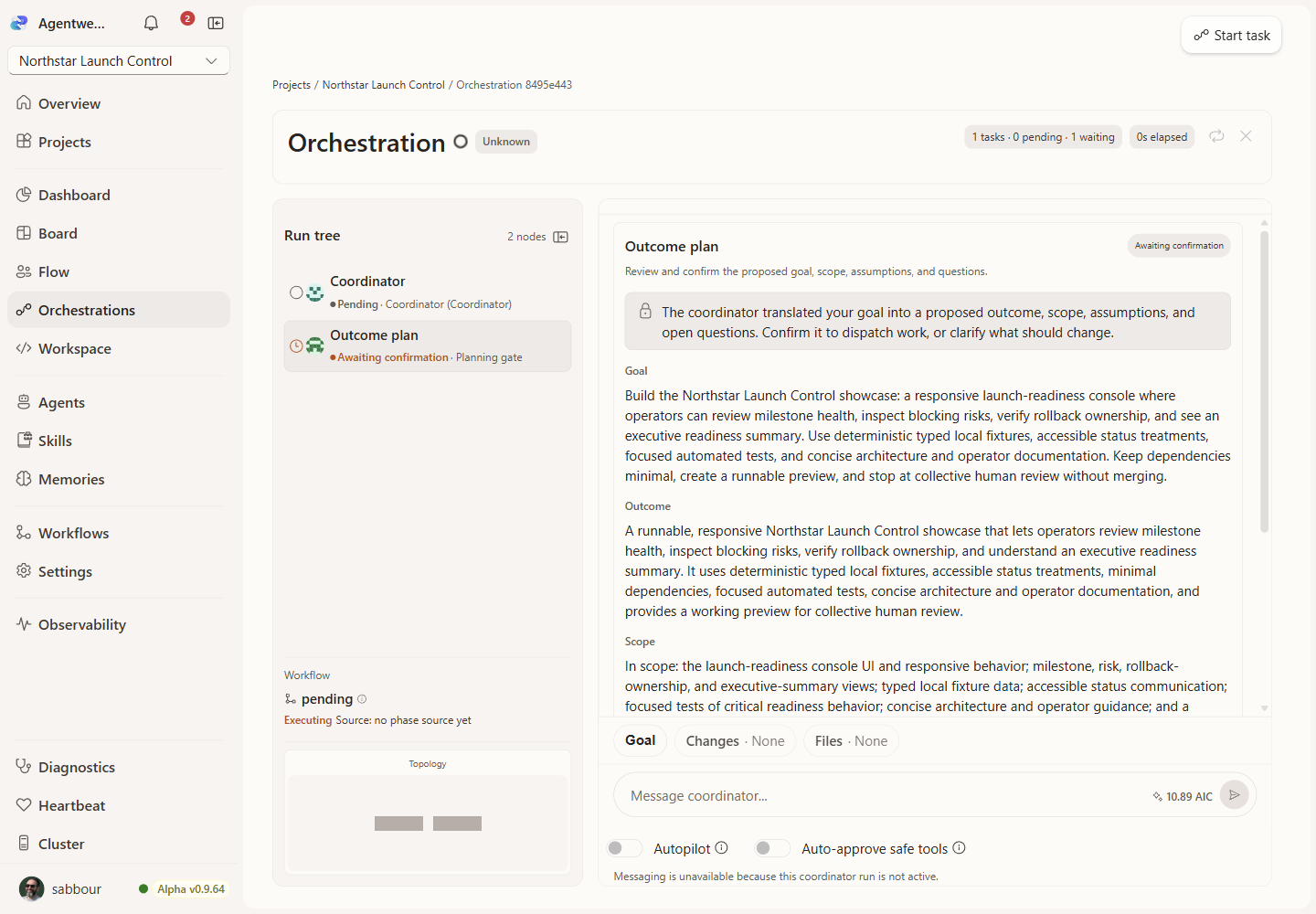
- 1Set the goal
Start the run from the work that you want done.
- 2Review the plan
Read the proposed outcome, scope, and constraints.
- 3Confirm or revise
Confirm the plan, or send feedback for a new draft.
- 4Review the result
Review the assembled changes before you approve them.
Generate a team for the work.
Describe what the project needs or start from a reusable blueprint. Agentweaver can propose the roles, charters, skills, and workflows, while you review the team before saving it. The coordinator then plans subtasks and dependencies for each run.
Explore team casting
Use the interface or bring your own client.
The web interface and MCP clients operate the same projects, teams, workflows, runs, memory, and approvals. Connect a supported assistant, editor, or CLI over protected HTTP or local stdio transport.
$ copilot mcp add --transport http agentweaver https://<deployment-origin>/mcp
Browser sign-in and consent completed; Agentweaver tools connected
> Create a "Task Tracker" project and start the coordinator on it
● project_create({ name: "Task Tracker" })
  → project_id: 4b1a9e…  state: active
● coordinator_start({ project_id: "4b1a9e…", goal: "…" })
  → run_id: 9c2f31…  status: drafting
Drafted an OutcomeSpec for your review — no child work is dispatched until you confirm it.
Read Connect an MCP client for setup and OAuth sign-in details.
Start an Assistant conversation with an optional project ID. See the Assistant runtime deep dive.
Keep project context with the work.
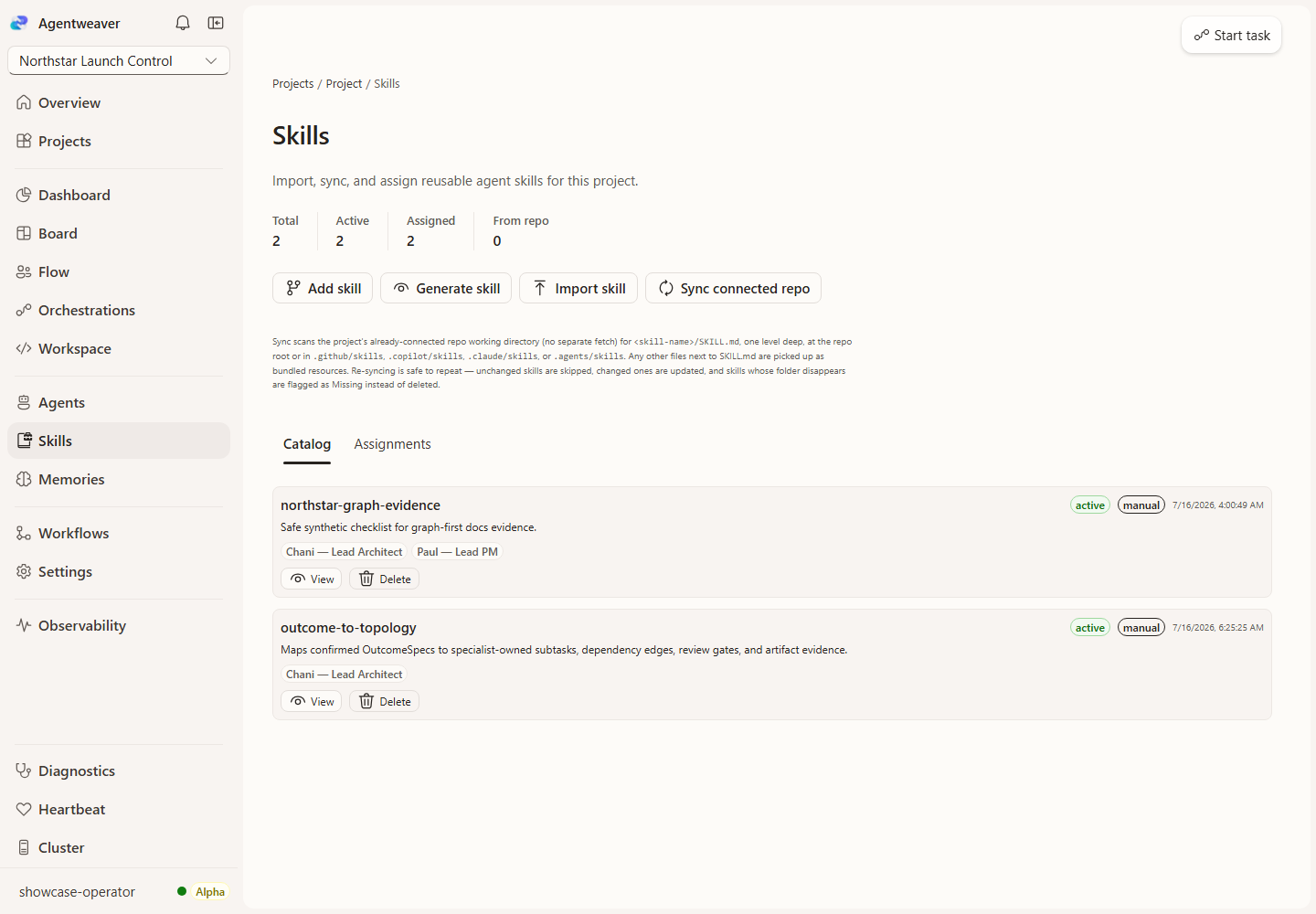
Projects include a board, runs, teams, skills, memory, and decisions. Use them to keep the team context close to its work.
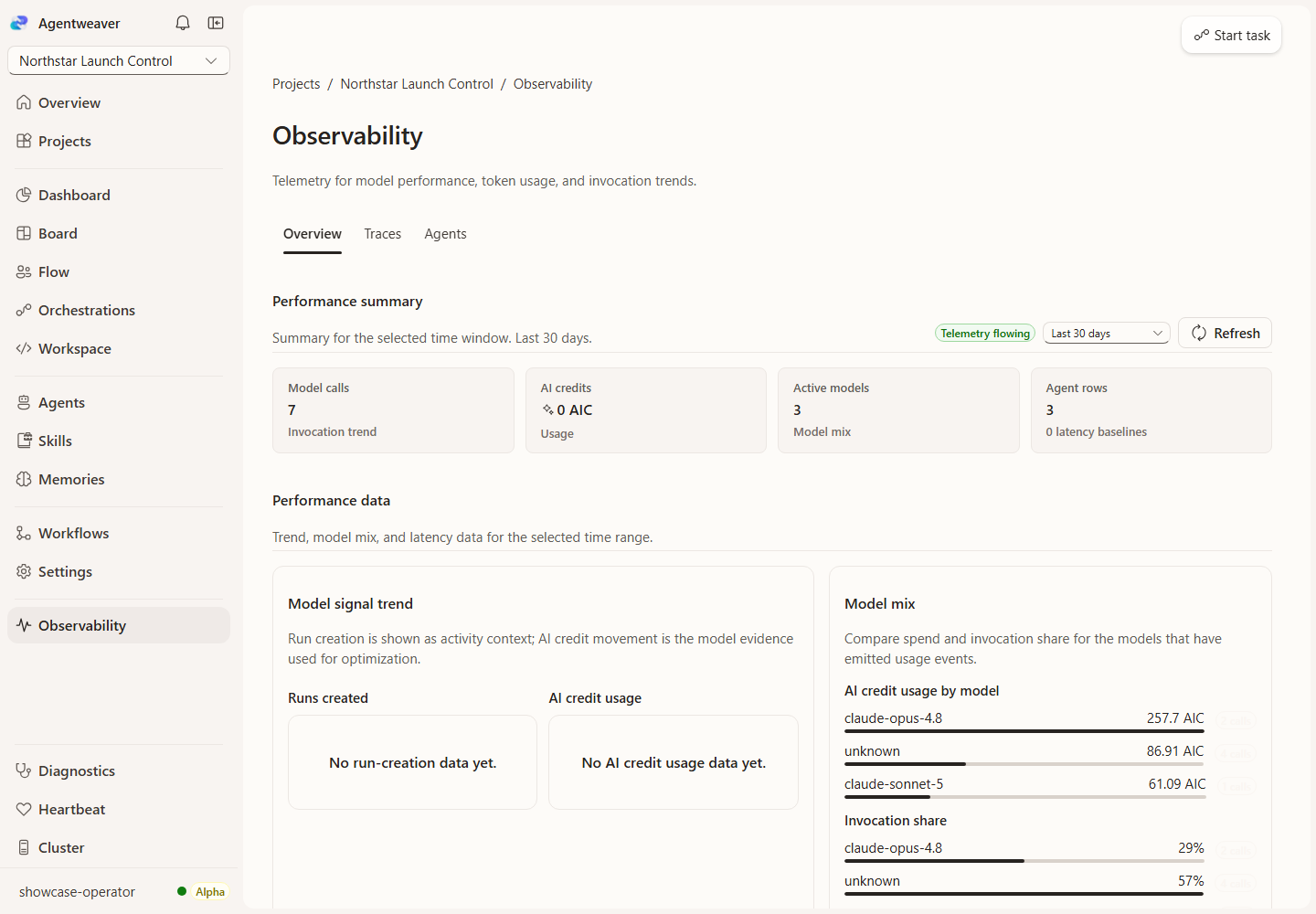
See run activity and usage details.
The run views show coordinator and agent activity. Observability views show recent coordinator runs and transaction traces.
- Coordinator and child-agent run streams
- Per-agent model and AI-credit breakdowns
- Transaction traces for coordinator runs